-
Title
-
Didactic pieces : manuscript, [between 1425 and 1450]
-
Name
-
Group 3- Lucas Montalto, Ben Jacobs, Ian Petrat, Will Dubois
-
Abstract
-
The manuscript Didactic pieces, created between 1425 and 1450, is a collection of religious and moral texts written in Middle English. It contains poems, prayers, and instructional writings, many by the poet Thomas Hoccleve. The manuscript was meant to guide readers in spiritual reflection and ethical behavior. It served as a tool for devotion and moral teachings.
-
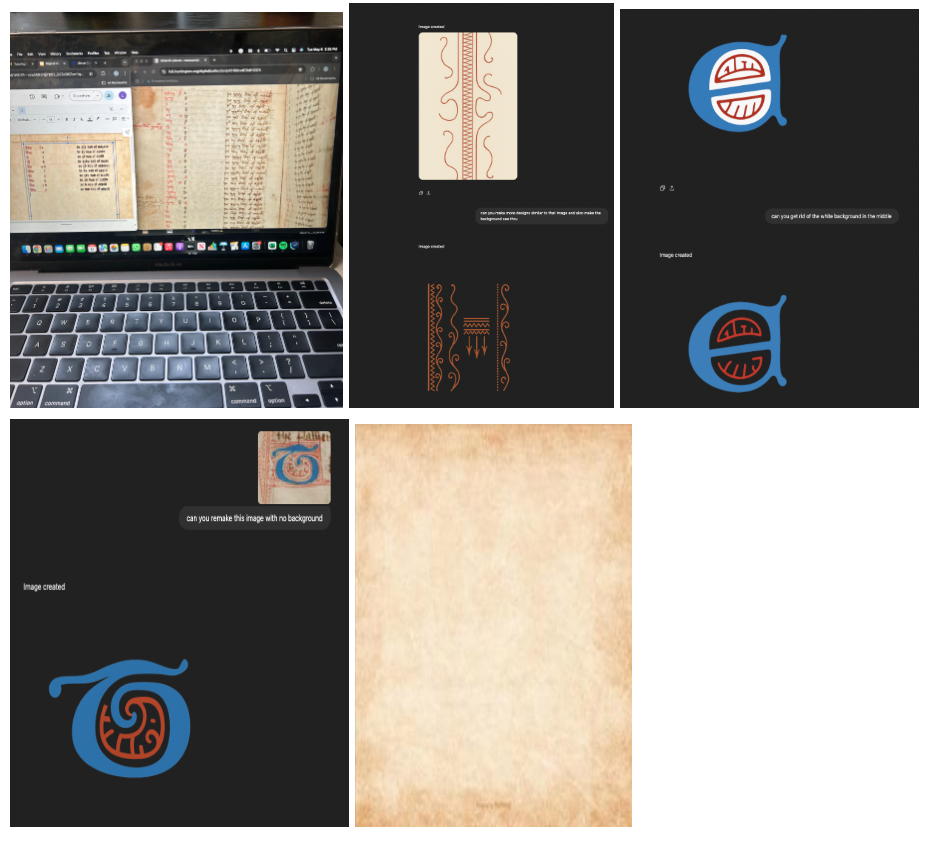
Paper maker- For the digital manuscript, instead of being the illuminator, I was the paper-maker. There was a substantial difference in the amount of effort between the two jobs I did. Because we used Google Sheets, there was no manual labor of crafting the pages (i.e. dying it and crinkling it) to be done; rather, I just had to find an image of parchment paper that resembled the manuscript and format it to go to the background of the slide. From there, I just inserted lines to form the marginalia and colored them to make them fit. The preciseness of a digital interface made creating the marginalia much easier. Outside of these things, I just had to rotate the slide to be vertical to add the finishing touches. Overall, this process was much easier, as the technology paved the way for a very quick and easy job. I also enjoyed the increased control I seemingly had using the interface.
Scribe - As the scribe of the digital version of the manuscript, I worked by splitting my computer screen, one side with the original manuscript and the other with my document. This allowed me to copy it as quickly and accurately as possible. One of the first steps taken was finding a font that closely matched the original manuscript’s style, which made the digital version feel more authentic. While typing was less physically taxing than handwriting, figuring out the spacing seemed more difficult, especially in the first few pages where the original had irregular gaps. Getting the formatting to look right took some trial and error, but I eventually got into a rhythm. Although the process took a long time, it turned out well and I think the final product closely reflects the look of the original manuscript.
Illuminator-
My role for the digital part of the manuscript was the illuminator. Previously, I was the paper maker, creating the paper for our manuscript by soaking the printer paper in Keurig-brewed coffee. My digital role was, of course, vastly different than this. For the illuminator role, I used AI to create the illuminations needed for the digital manuscript. This technique has both pros and cons. I took screenshots from the original manuscript to instruct the AI to form the illuminations correctly so the AI could have a reference. I then told the AI specific details to include and focus on. This process was often tedious and time-consuming as the AI was not the greatest listener. I also had to screenshot each image that the AI provided me individually. The pro to this technique was that the AI's illuminations were very accurate to the true manuscript and far better than anything I could have created either by hand or virtually. However, I believe it would have been a more enjoyable and rewarding experience if I had created the illuminations by hand (just not as good!).
When comparing my experience as a paper maker and digital illuminator, I enjoyed the role of a paper maker more. There are not many times in college, especially as an economics major, where I can work with my hands and craft something, which is why I enjoyed the opportunity to do so. Further, the opportunity to see an art project through is very rewarding. Conversely, there are many times when I stare at my computer screen and work with AI, such as what I did in my illumination role. Interestingly, AI most likely provided the best results for illuminations (unless you are an artistic genius), while papermaking by hand formed the best results rather than a digital version. This reality shows that utilizing today’s technology with standard everyday practices can often provide the best outcome.
Binder -
For the digital manuscript, I was the binder which was far easier and a nice change of pace from my scribe role in our physical manuscript. My main focus as binder was playing with the presentation slide transitions to make it look like you were actually flipping through a book. Since we used google slides, I achieved this by alternating between the flip and slide transitions to make it look like you were skimming through a two page face of a book before flipping a page to see the next two pages. For the actual cover and back of the manuscript, I initially tried to use the actual cover and back that is given on the manuscript site, but I was unable to crop the photo in a way that would make it work with google slides when I set the image to the background. I tried making the photo the size of the slide to avoid the background issue but that caused weird issues with the transitions that I was not happy with. I instead settled on finding an image of a tattered book that resembled the manuscript that was of the right size for me to set it to the background. I also added strips to alternative sides of each page to resemble the actual bind of the manuscript as if you were to flip through an actual manuscript. While this detail is minute, I believe it contributes to the overall feel of the digital version. With there being a high ceiling for what you can do to create an atmosphere for a digital manuscript, given the constraints google slides creates, I am really happy with how the binding portion of the manuscript turned out as it creates some level of immersion.